

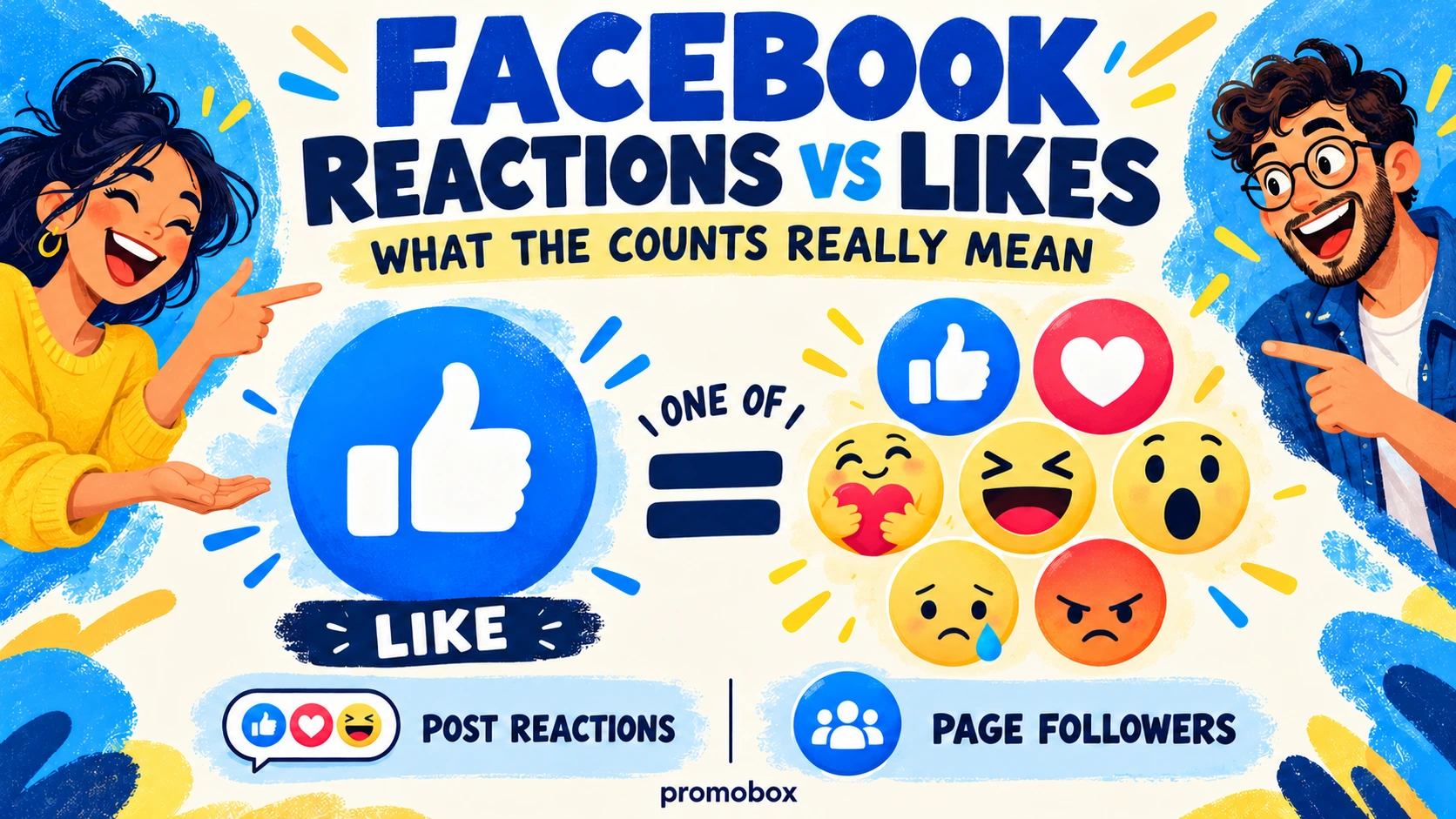
On a Facebook post, Like is one type of reaction. The total reaction count includes Like and other reaction types. Page likes and Page followers describe relationships with the Page, rather than responses to one publication. The word “likes” is therefore ambiguous unless you identify what is being measured: a particular post, one reaction category, or the Page itself.
Facebook Likes, Reactions and Followers at a Glance
| Metric | What it belongs to | What it measures | What it does not establish |
|---|---|---|---|
| Post Like | One publication | Like reactions on that publication | Total reactions of every type |
| Total post reactions | One publication | All reaction types combined | Reach, clicks or sales |
| Page likes | The Page, where supported or reported | A Page-level relationship | Likes on individual posts |
| Page followers | The Page | Following relationships | Guaranteed delivery or reading of every post |
Page interfaces and reporting have changed over time. Do not assume that every current Page displays separate Like and Follow controls, or that a field called “likes” has the same meaning in every report.
When someone says a Page “received 500 likes,” ask whether they mean reactions to a publication, Page-level likes, or a total across several posts.
Is a Like a Facebook Reaction?
Yes. Like is part of the broader reaction system, not a separate metric that should automatically be added to total reactions.
Facebook’s original Reactions announcement described Reactions as an extension of the Like button. That announcement dates to 2016 and should not be used as an exhaustive list of today’s options.
For available reaction types, inspect the current picker in your interface. This guide does not present the original launch list as a verified current inventory.
Facebook’s current help on reacting to posts and comments explains the interaction:
- On desktop: hover over Like and select the reaction you want.
- In the Android app: press and hold Like, then select a reaction.
The Help Center describes selecting one reaction per post or comment. Choosing a reaction expresses a response to that item; it does not create a Page-following relationship.
Keep the target clear when recording results. A reaction to a comment belongs to that comment, whereas the post’s reaction total belongs to the publication.
How to Read the Total Reaction Count
The total combines reaction categories. An individual category is a component of that total.
Consider this hypothetical example, not a real campaign result:
| Reaction | Count |
|---|---|
| Like | 80 |
| Love | 15 |
| Haha | 5 |
| Total | 100 |
The post has 100 reactions, including 80 Likes. It does not have 100 reactions plus another 80 Likes. Adding the component to the total would double-count those Likes.
Love accounts for 15% of reactions: 15 divided by 100. The denominator is the reaction total—not reach, impressions, clicks, or customers. This percentage is neither a conversion rate nor an engagement rate calculated against reach.
A useful report would label the figures “Total post reactions,” “Like reactions,” and “Love share of reactions.” A column simply called “engagement” hides those distinctions.
Likewise, adding reactions across several posts gives an interaction total, not a unique audience. The same account may react to more than one publication.
Post Likes vs Page Likes vs Followers
Imagine a Page with 2,000 followers publishes a post that receives 100 reactions. These hypothetical numbers answer different questions:
- 2,000 followers: how many following relationships the Page has.
- 100 post reactions: how many reactions are associated with that publication.
Neither number tells you that all followers saw the post. Nor does it establish that every reaction came from a follower. People can encounter and react to accessible content without following its publisher, while followers do not necessarily react to every publication.
Page likes belong to another layer: the relationship with the Page itself, where that metric is supported or reported.
In its 2021 announcement of the new Pages experience, Meta described a move away from Page Likes toward Followers. This establishes the historical change; it does not mean every current report, integration, or Page interface exposes identical fields.
If your reporting tool includes Page likes, check its definition rather than relabeling the field as followers. For service-related audience context, see the guide to Facebook Page and profile follower options.
What Emotional Reactions Can—and Cannot—Tell You
A reaction label is not a complete sentiment analysis.
Possible interpretations include:
- Sad: sympathy about an event described in the publication.
- Angry: frustration with the situation rather than the Page publishing it.
- Haha: amusement, irony, or sarcasm.
- Love: appreciation without any intention to purchase.
These are possible readings, not definitive classifications. An Angry response to news about a canceled community event does not automatically mean the reader dislikes the organization reporting it.
Read the publication, comments, and reaction mix together. If you classify responses for reporting, record the basis for that classification and leave ambiguous cases unresolved.
Avoid assigning automatic sentiment scores or declaring one reaction universally more valuable than another. A positive-looking reaction is not proof of customer satisfaction, and an emotional response is not a sales enquiry.
How to Check the Reaction Breakdown
Facebook’s instructions for seeing who reacted describe opening the publication or comment, selecting the reaction icons beneath it, and choosing a reaction icon at the top of the resulting list to inspect that category.
For a post-level check:
- Open the exact publication you are reporting on.
- Select its reaction summary, not the Like button used to react.
- Review the available reaction categories.
- Record the post, observation time, total, and relevant category counts.
Separate three views in your notes:
- Public-facing count: what is displayed beneath the publication.
- Reaction breakdown: the categories available through the reaction summary.
- Administrator reporting: metrics shown in the reporting tools available to the account.
Do not assume that a screenshot of the public summary contains every field available in an administrator’s report. Conversely, do not label an administrator’s broader “interactions” metric as reactions without checking its definition.
Exact reporting menus are outside this guide’s scope. Use the labels and definitions in your current reporting interface.
Do Reactions Increase Facebook Reach?
Reaction counts alone cannot establish why distribution changed.
A post may receive more reactions alongside greater reach, but the two totals do not demonstrate a single causal direction. More exposure creates more opportunities to react; reactions may also occur alongside differences in content, audience, or promotion.
Do not infer current ranking weights from the counts. Claims such as “Love is worth five Likes,” “Angry guarantees more reach,” or “this reaction mix triggers distribution” require evidence that these figures do not provide.
Purchased reactions also do not establish that Facebook delivered additional organic reach.
Which Metrics Should a Page Owner Track Together?
Choose evidence according to the question you need to answer.
| Goal | Metrics to examine |
|---|---|
| Understand visible response | Reaction total and distribution |
| Assess discussion | Comments and their content |
| Assess distribution | Reach or impressions, as defined in the relevant report |
| Assess traffic | Relevant link-click metrics |
| Assess audience growth | Follower changes |
| Assess business results | Tracked enquiries, purchases, or other conversions |
Compare equivalent periods and similar publication types. Record whether a post received paid advertising or other promotion, and avoid comparing a mature post with one published only recently without acknowledging the different observation windows.
Use the same metric definitions across comparisons. If a reporting tool changes a field or its scope, document that change before interpreting the difference as improved performance.
There is no universal reaction benchmark in this guide. A useful threshold must relate to your objective, comparable content, and measurement method.
Where Facebook Reactions Promotion Fits
Promobox’s Facebook post reactions service targets reactions on a selected publication, rather than Page followers or Page likes.
When checked on October 17, 2026, the service page listed Love, Care, Wow, Haha, Sad, and Angry options at $0.00062 per reaction, with a displayed minimum quantity of 10. These are Promobox service options, not an independently verified inventory of Facebook’s current reaction picker. Check the live order form before purchasing.
Ordered reactions do not establish positive customer sentiment or guarantee organic reach, Page followers, website traffic, or sales. Record purchased activity separately when evaluating audience response. Availability through Promobox does not constitute Meta endorsement.
A Five-Point Reporting Checklist
- Identify whether the number belongs to a post or a Page.
- Separate Like reactions from total reactions.
- Avoid adding a component to its total.
- Interpret emotional reactions in the context of the publication and comments.
- Evaluate reach, traffic, and business outcomes separately.
About the author




Leave a Reply