

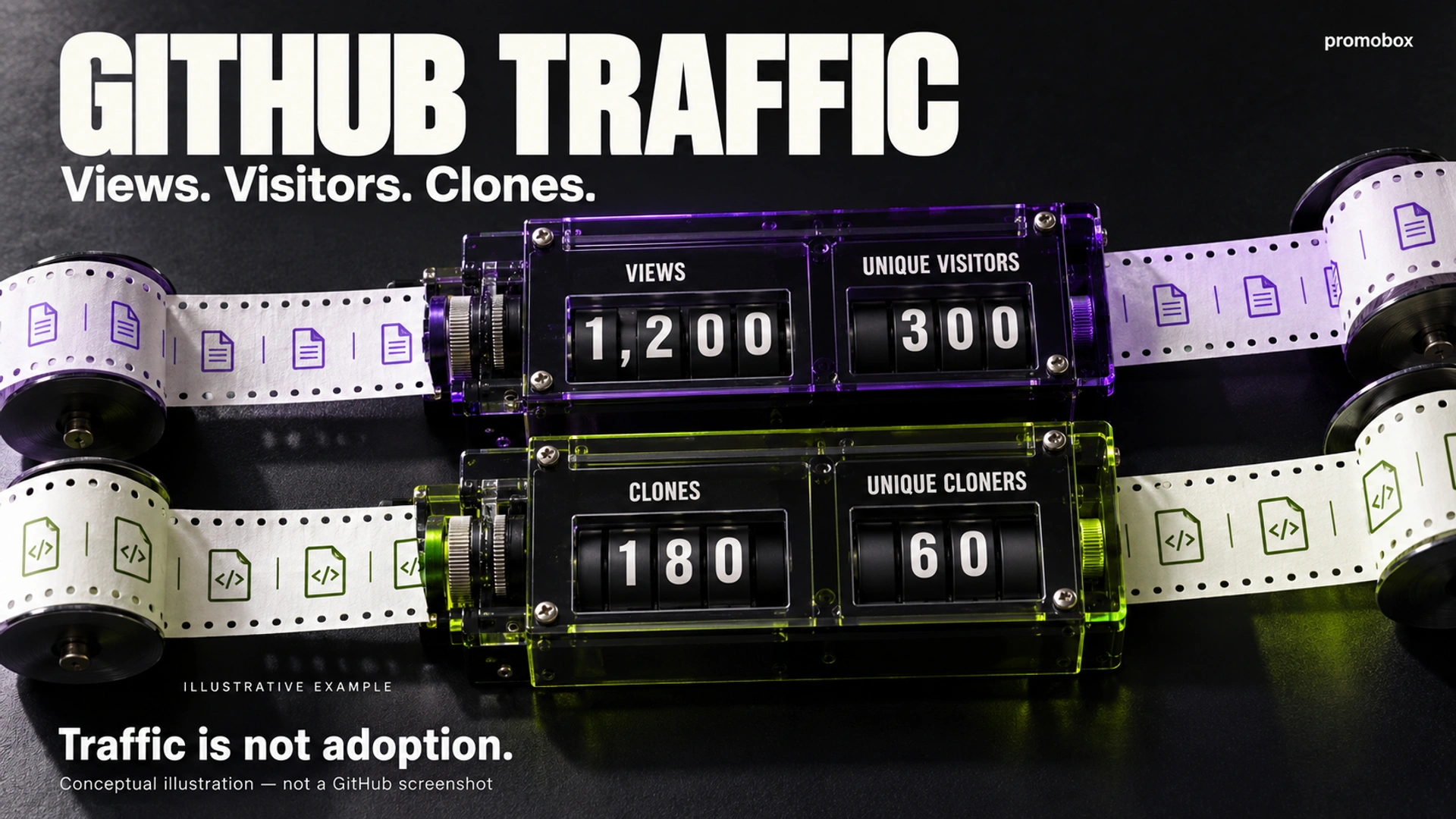
To see GitHub repository traffic, open the repository and choose Insights → Traffic. Access depends on repository permissions and feature availability; a public repository does not make its Traffic report public. The report covers page views, visitors and clone activity. These measures describe visits and repository retrieval, not production usage, paying customers or contributor growth. Use them alongside separate evidence of the outcome you want to measure.
Where to Find GitHub Repository Traffic
- Open the repository’s main page.
- Select Insights.
- Select Traffic in the sidebar.
- Review the charts and tables.
- Hover over daily points to inspect their values.
GitHub requires push access to view this report. Its repository traffic documentation explains navigation and access.
Availability also depends on repository visibility, plan and deployment. Check GitHub’s repository graph availability before assuming the feature exists in your environment.
If Traffic is missing, establish whether the issue concerns your permissions or feature availability before concluding that the repository has no traffic.
Views vs Unique Visitors
Views count repository page views. Unique visitors count distinct visitors as measured by GitHub within the relevant reporting scope. One visitor can generate multiple views, so page views and unique visitors answer different questions.
Keep the distinction between activity and audience throughout your report:
| Metric | What it describes | What it does not establish |
|---|---|---|
| Views | Repository page-view activity | Identified people or active users |
| Unique visitors | Distinct visitors counted by GitHub within the reporting scope | Registered accounts, customers or a named audience |
| Clones | Reported full-clone activity | Forks, installations or software usage |
| Unique cloners | Distinct cloners counted by GitHub within the reporting scope | New contributors or a visitor-to-user funnel |
Do not supply an identity definition that the report does not establish. For example, “300 unique visitors” should not become “300 registered developers” in a presentation. Nor should you assume a particular deduplication method or that every automated request and internal visit is handled in a specific way.
Repository traffic also differs from traffic to your project’s separately hosted website. If someone reads documentation on that website, use its own measurement system rather than treating the repository report as a complete record of the visit.
Clones vs Unique Cloners
Clones count reported full-clone operations. Unique cloners count distinct cloners as measured by GitHub within the relevant reporting scope. Repeated activity can make the total clone count exceed the unique count.
GitHub’s Traffic documentation covers full clones, not fetches. Do not interpret an absence of additional clones as proof that nobody retrieved updates.
A clone is also different from a fork on GitHub, a package installation or a successful production deployment. Someone retrieving a repository has not necessarily run the software.
If clone activity rises unexpectedly, investigate possible contexts such as a release, a demonstration or an automated development workflow. These are questions to check against other evidence, not motives established by the chart.
A Worked Example of Repository Traffic
The following figures are hypothetical and cover the same reporting period:
| Metric | Value |
|---|---|
| Views | 1,200 |
| Unique visitors | 300 |
| Clones | 180 |
| Unique cloners | 60 |
The totals exceed the corresponding unique measures because repeat activity can occur.
Dividing 1,200 by 300 produces 4, an aggregate views-to-unique-visitors ratio for this example. It does not establish that every person viewed four pages or followed the same path through the repository.
Two other calculations would be misleading:
- 300 + 60 is not a verified unique audience of 360. The overlap between visitors and cloners is unknown.
- 60 ÷ 300 is not a measured visitor-to-cloner conversion rate. These figures do not establish that the same users moved through a tracked funnel.
You can report the four figures together without claiming a relationship the data cannot demonstrate.
Referring Sites vs Popular Content
Referring sites concern where reported visits came from. Popular content concerns which repository paths received traffic.
Use the first to investigate external placements and the second to examine interest in particular repository content. For example, an installation guide appearing among popular paths gives you a page to inspect; it does not establish that readers completed installation.
GitHub documents that the interface’s referring-sites section excludes search engines and GitHub itself. This is not a complete acquisition report. A missing source should not be described as having generated zero visits.
A referring domain is also not an exact campaign identifier. If you published several links on the same site, the domain alone does not isolate the effect of each placement. Keep your placement log and any separately available campaign evidence alongside the report.
Reporting Limits That Change the Interpretation
GitHub documents a recent 14-day window and UTC-based dates. Visitor and full-clone information refresh hourly; referring sites and popular content refresh daily. These details are described in its Traffic report guidance.
Consequently, avoid comparing a partly observed current day with a completed day. Tables and charts may also represent different refresh points when you inspect them.
The repository traffic REST API supports daily or weekly breakdowns for views and clones. Weekly grouping does not extend the historical window. Its popular-content and referrer endpoints return top-ten lists, not complete inventories.
Unique measures need particular care. Adding daily unique values does not produce a deduplicated weekly or fortnightly audience: activity from the same visitor may appear on several days. Preserve the original scope of each value instead of relabelling a sum as period-wide unique visitors.
Likewise, do not compare a daily unique figure with a differently aggregated figure as though they measured identical intervals.
How to Keep a Useful Traffic History
Maintain a log with these fields:
UTC date or interval → views → unique visitors → clones → unique cloners → campaign or release notes
Record the collection time and whether a value represents a daily observation or a rolling-window total. That distinction prevents a common reporting error: adding overlapping snapshots.
For example, two consecutive 14-day snapshots share most of their dates. Adding their totals double-counts overlapping activity. Keep them as snapshots for comparison, or maintain date-keyed daily records for additive totals such as views.
For a longer history, consider periodic API collection before older observations leave the available window. Keep implementation bounded:
- Store the original timestamps and field names.
- Update records by repository and interval rather than appending duplicates.
- Retain collection timestamps so later revisions remain identifiable.
- Label sums of daily uniques as sums, not deduplicated period audiences.
API access has its own requirements. The documented fine-grained tokens for traffic endpoints require Administration repository permission: read. This is an API authentication requirement, not a substitute description of the interface’s push-access rule.
Saving observations going forward does not reconstruct earlier traffic you never collected.
How to Evaluate a Repository Promotion Campaign
1. Define the actual goal
Write down the outcome before choosing a metric.
Repository discovery can be investigated through traffic. Documentation interest calls for attention to relevant paths. Package installations, product enquiries and production usage require evidence from the systems measuring those actions.
Do not define success as “more activity” and decide afterward which rising number counts.
2. Record an explicit baseline
Save the repository identity, UTC interval, metric scope and collection time before promotion starts.
Use completed intervals of equal length for the comparison. If weekday patterns may matter, choose matching weekday coverage rather than comparing an arbitrary weekend with a working week.
3. Log releases and placements
Record when you published a release, changed documentation, posted a community announcement or started a paid promotion.
Include the destination linked from each placement. A link to the repository homepage and a link to an installation document should not be assumed to serve the same purpose.
4. Compare the observations
Review views, unique visitors, clones and unique cloners separately. Inspect available referrers and popular paths for context, respecting their coverage and refresh limits.
Describe a rise after promotion as an observed change. Timing alone does not establish that the campaign caused it.
5. Check contributions and adoption separately
If your goal is contributor growth, inspect relevant contribution activity rather than relabelling visitors as contributors.
If your goal is installation or usage, examine the appropriate package or product measurements and their definitions. A package download is not automatically an active user either.
For adjacent repository signals, see Stars vs Watchers vs Forks. Keep those counts separate from traffic rather than adding them into a composite audience total.
6. Document competing explanations
Record other events that could affect the comparison, including simultaneous announcements, release changes or altered measurement coverage.
A useful campaign report states what changed, what evidence supports the observation, and what remains unknown. It does not need an invented universal traffic or conversion benchmark.
Where GitHub Stars Promotion Fits
The Promobox GitHub Stars service targets a repository’s visible star count, not its Traffic report. On October 24, 2026, the ordering interface displayed Worldwide options at US$0.03 per star, US$0.04 with 30-day refill, and US$0.055 with 365-day refill. Check the selected option’s current price and conditions before ordering.
A star order does not automatically establish visitors, clones, installations, contributors or customers. Record paid activity separately when assessing a promotion period, and do not report it as organic adoption or guaranteed GitHub Trending placement.
The GitHub promotion guide explains service-selection context. Use the current service interface for pricing rather than carrying older article prices into a new budget.
A Five-Point Reporting Checklist
- Confirm access and interval. Record the repository, dates and measurement scope.
- Separate totals from unique measures. Do not turn activity counts into identified people.
- Keep views, clones and stars distinct. Each answers a different question.
- Preserve UTC dates and avoid overlapping totals. Label snapshots and daily records clearly.
- Measure adoption separately. Use evidence appropriate to installations, contributions or actual product usage.
About the author





Leave a Reply